Inventory Tracking for People Who’d Rather Be Doing Literally Anything Else
Inventory doesn't have to be a nightmare. Here's how to build a low-effort, high-clarity system that actually works for small business owners.


Published under The Inventory Hat on HatStacked.com
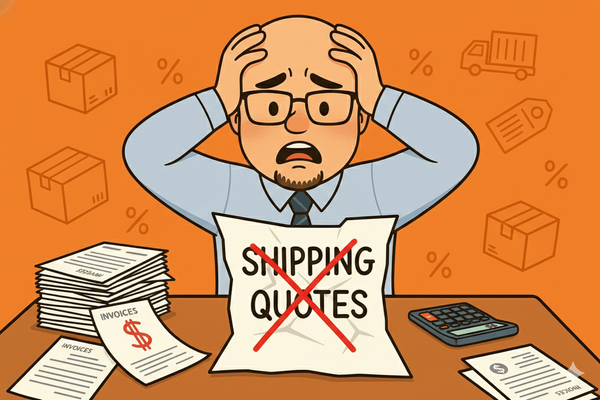
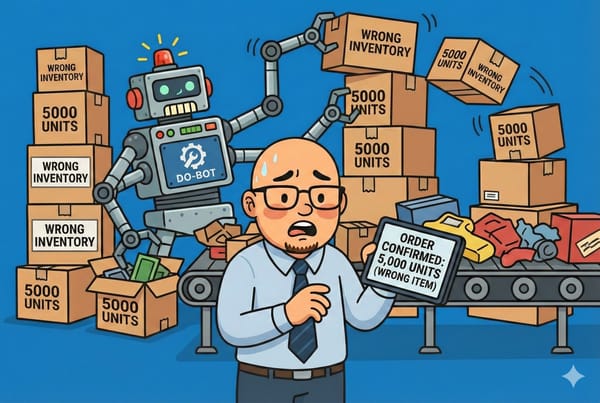
You didn’t start your business because you love spreadsheets and barcode scanners. You started it to sell cool stuff, help people, make money, or maybe just escape your last job. But now here you are, buried in bins, stock counts, and wondering if your inventory system is actually just you saying “yeah, I think we have that” and hoping for the best.
If You Hate Inventory, You’re Not Alone
Most small business owners don’t wake up thinking, “You know what I love? Manual counts.”
Inventory is one of those necessary but draining parts of running a business. It’s not flashy. It’s not fun. And if it’s broken, everything else breaks too:
- You oversell
- You overstock
- You tie up cash in dusty product
- You waste hours looking for things that may not exist
The good news? You don’t have to become a warehouse wizard. You just need a system that works well enough to avoid chaos.
Let’s build that system, starting from where you probably are now.
Step 1: Admit Your Current System Is Probably a Mess
Be honest. Does this sound familiar?
- Your “inventory system” is a whiteboard and vibes
- You write SKUs on sticky notes (and lose them constantly)
- You check stock by walking into the back and squinting
- You’ve reordered something that was already sitting in a box 10 feet away
That’s not judgment. That’s normal. Most small businesses start this way. But you can’t scale chaos, and eventually, it costs you.
Step 2: Pick a Tool That Matches Your Energy (and Budget)
Here are tools you can use to track inventory without needing to hire a full-time warehouse manager.
🟢 Beginner Friendly (Low Volume, Low Tech):
- Google Sheets: Use filters, formulas, and conditional formatting to track SKUs, quantities, reorder levels
- Airtable: Visual, clean, and more flexible than Excel
- Sortly: A great mobile-first app for tracking with photos, QR codes, and notes
🔵 Mid-Level (You’re Growing, Things Are Getting Serious):
- Zoho Inventory: Integrates with sales channels, invoices, and shipping
- inFlow Inventory: Popular with small warehouses and B2B sellers
- QuickBooks Commerce: Formerly TradeGecko, it links inventory to accounting
🔴 Serious Operations (Multiple Locations, High Volume):
- NetSuite: Full ERP with powerful inventory control
- Fishbowl: Adds deep inventory features to QuickBooks
- Cin7: Multi-channel inventory, warehouse, and POS
Don’t pick the fanciest one. Pick the one you’ll actually use.
Step 3: Build the Absolute Minimum Viable Inventory System
If you hate tracking inventory, do yourself a favor and don’t overbuild. Start simple.
Here’s your bare minimum inventory template:
| SKU | Product Name | Quantity On Hand | Reorder Point | Location |
|---|---|---|---|---|
| 1023 | Medium Widget | 43 | 20 | Shelf B2 |
| 1098 | Replacement Part | 12 | 5 | Drawer 3 |
Add one column for notes if you need to log things like packaging quirks, supplier delays, or alternate part numbers.
Step 4: Stop Relying on Memory (Your Brain Is Not a Database)
You are juggling too much to remember how many blue cables are in Box 6.
Start using:
- Barcodes or QR codes (generate for free at barcodesinc.com)
- Bin labels that match your spreadsheet or software
- A shared system if you have more than one person involved
If someone else on your team has ever said, “I thought we had more of those,” your system isn’t working.
Step 5: Create a 30-Minute-a-Week Inventory Habit
Inventory doesn’t have to be a quarterly nightmare. It can be a quick pulse check.
Try this once a week:
- Randomly spot-check 5 SKUs
- Reorder anything below its reorder point
- Log new items as they arrive
- Archive anything you’re no longer selling
Set a recurring calendar reminder and make it part of your operations rhythm.
Step 6: Use Sales Data to Actually Reduce Inventory Headaches
The best way to avoid inventory stress? Stock what sells. Ditch what doesn’t.
Use your sales data to:
- Identify dead stock (no sales in 60+ days)
- Spot trends (do sales spike before holidays?)
- Adjust reorder quantities based on real volume
If you’re not using a tool like QuickBooks, Shopify, or BigCommerce to generate reports, now’s a good time to start.
Bonus: Simple Inventory Automations That Actually Save Time
You don’t need to hire a developer. Just set up one or two basic automations to make inventory less painful:
- Low stock alerts via email (use Zapier or built-in app features)
- Reorder point triggers tied to purchase order templates
- Inventory sync between your ecommerce platform and your tracking tool
If you sell in multiple places (online, in-store, wholesale), automation is your only chance at staying sane.
Real Talk: What We Use
We started with:
- A spreadsheet
- A whiteboard
- A whole lot of “where did we put that box?”
Now we use:
- BigCommerce for ecommerce and inventory visibility
- NetSuite for robust inventory valuation and management
- Regular cycle counts to spot-check quantities and kill off slow-moving SKUs
We also integrate with Google Shopping and Trustpilot, but inventory control is still the foundation. If your counts are off, reviews and ads won’t fix that.
The Stuff No One Tells You About Inventory
Let’s just say the quiet parts out loud:
- Inventory is boring. It’s okay to admit that.
- If you don’t track it, your profit margins are a lie.
- Inventory doesn’t get easier with growth. It gets more expensive to mess up.
- You will absolutely over-order something at least once a year.
- “We’re out of stock” always sounds worse than “We have one left.”
So yeah, it’s worth putting a little effort into. Just enough to avoid panic and preserve your cash flow.
Your 5-Minute Inventory Rescue Plan
If you only do five things after reading this post:
- Create a basic tracking system (even if it’s a spreadsheet)
- Choose a tool you’ll actually use
- Label your storage areas
- Set up low stock alerts
- Make it a weekly habit
That alone will put you ahead of 90% of small businesses still winging it.
Want More Posts Like This?
📬 Join the HatStacked Newsletter
Daily tips, tools, and insights to make your small business feel a little less chaotic.
Subscribe